Create character scene packs
in minutes, not hours.
ScenePack Studio is an AI-powered desktop app that automatically detects characters, recognizes faces, and organizes clips — all locally on your PC.
Secure checkout via Stripe · Instant activation · 100% local processing
Watch ScenePack Studio in Action
See the complete workflow—from importing a video to exporting organized character scene packs.

Every step, no edits, no cuts
Watch a real episode go from raw import to a fully organized set of character scene packs. You'll see face detection, character grouping, the scene timeline, and the export step in their actual UI.
- Runtime
- Full demo
- Quality
- 1080p HD
From raw video to finished ScenePack
Six steps from install to export — a professional walkthrough of the entire ScenePack Studio workflow.
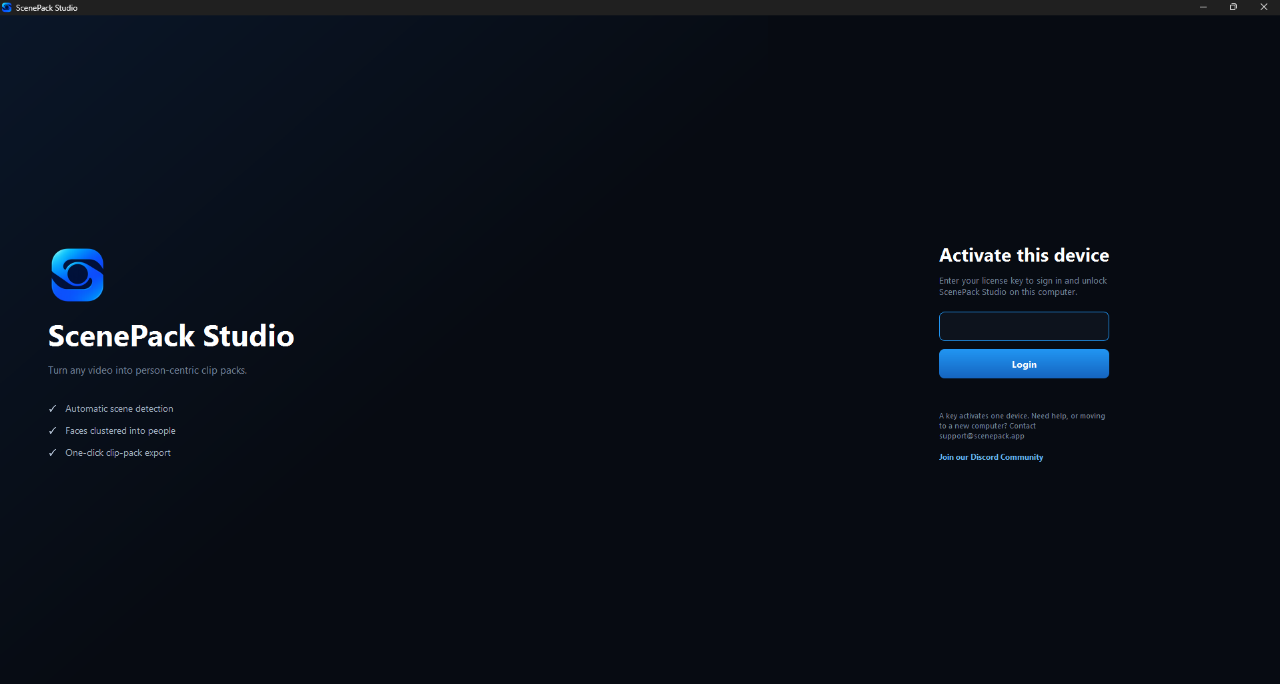
Install & Activate
Install ScenePack Studio from your dashboard, launch the application, and activate your license in seconds. Once activated, you're ready to start creating ScenePacks immediately.
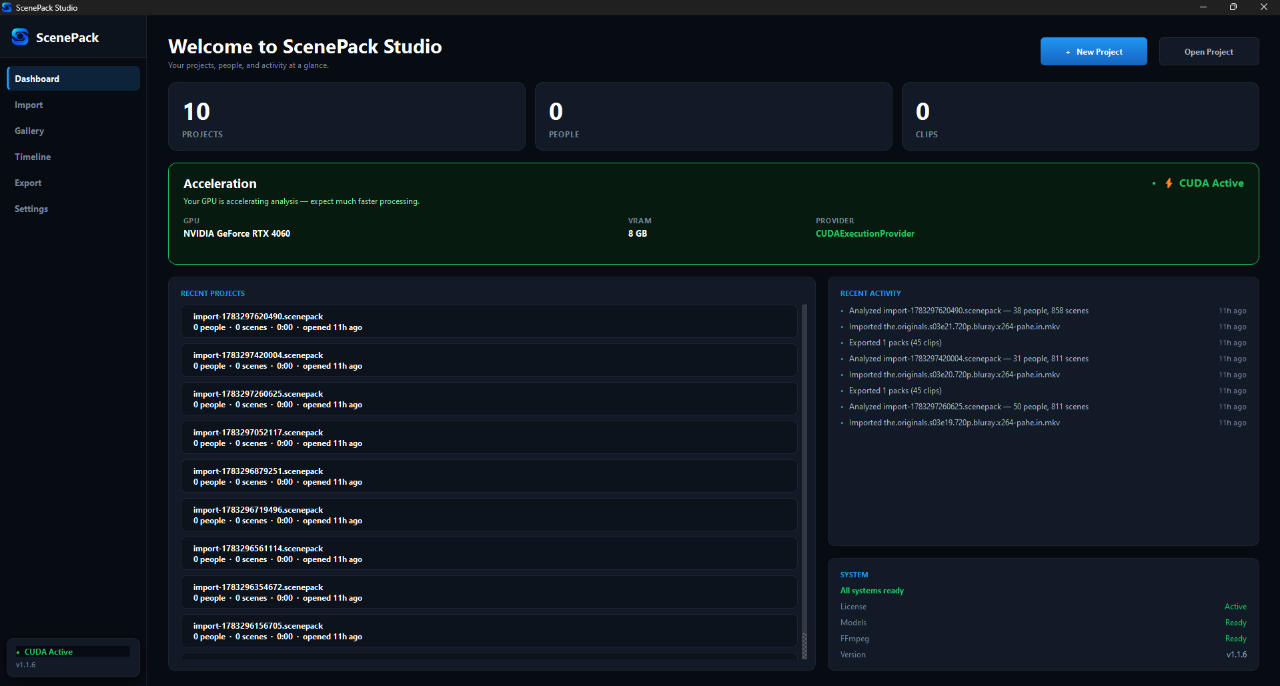
Create Your Project
Create a new project from the dashboard and import any supported video. ScenePack Studio will automatically begin analysing your footage using GPU acceleration.
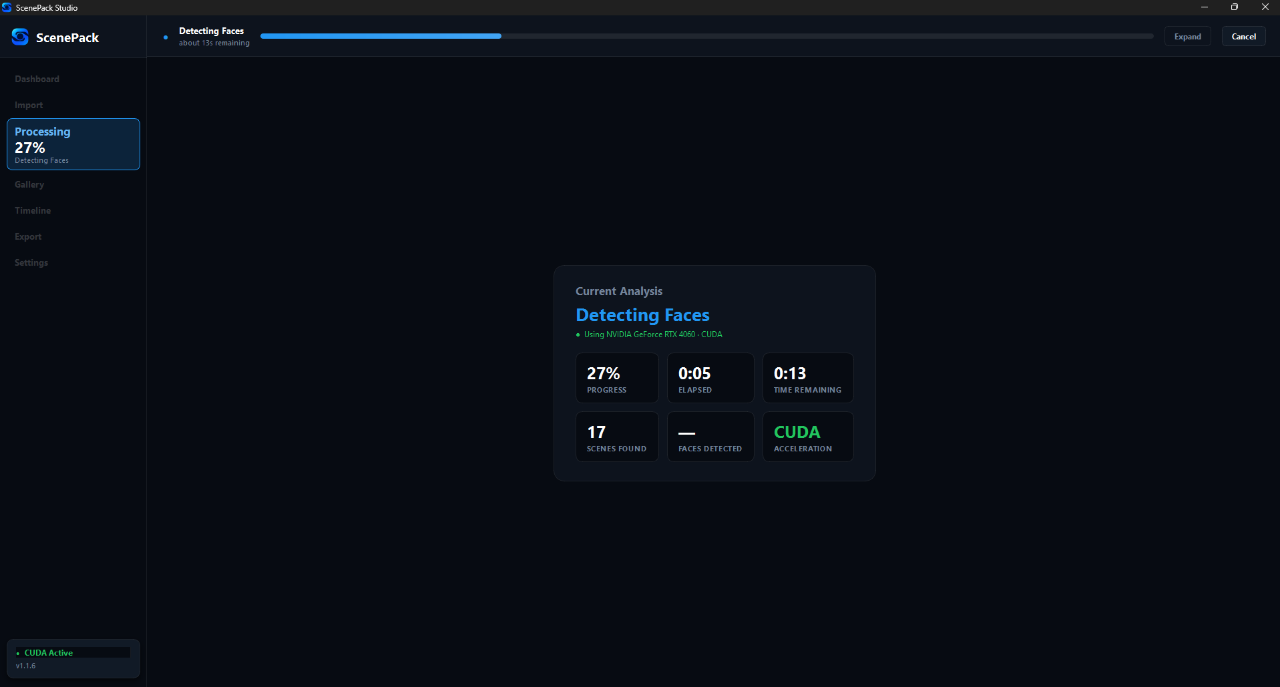
AI Scene Detection
Our AI scans your video, detects every scene, groups faces into individual characters, and prepares everything automatically — no manual cutting required.
Choose Your Character
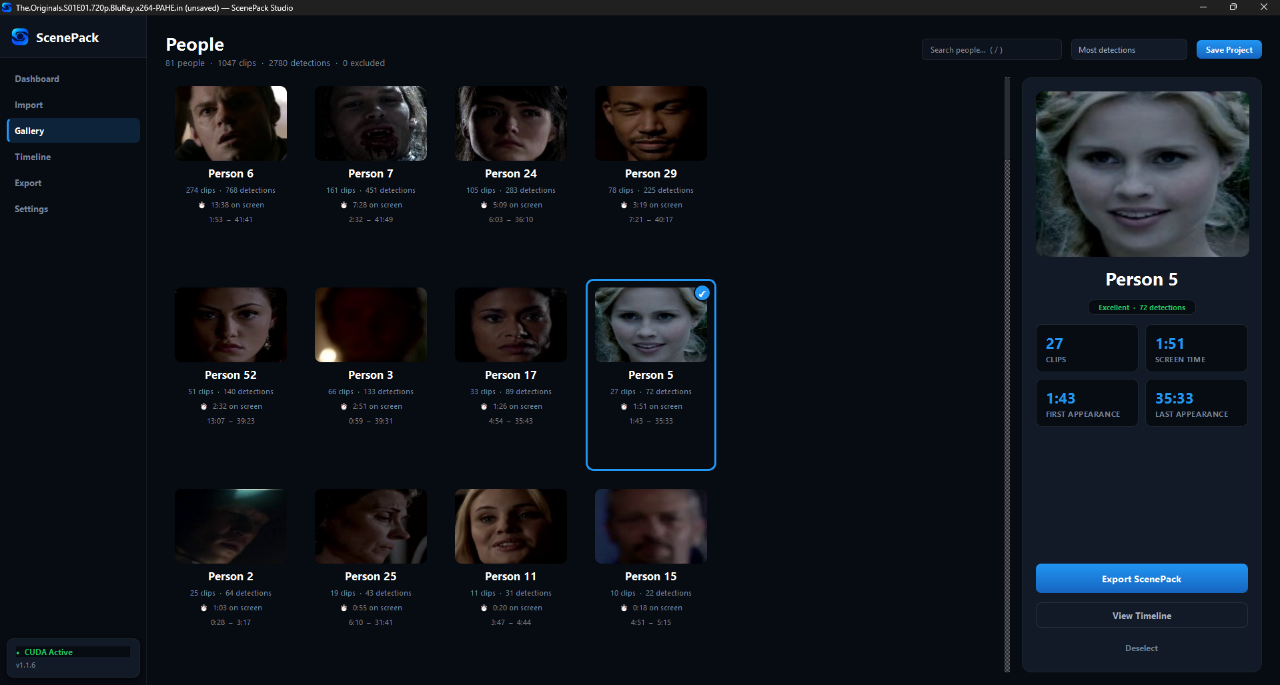
Browse every detected character, view detailed statistics, and select exactly who you want to create a ScenePack for with a single click.
Preview & Fine-Tune
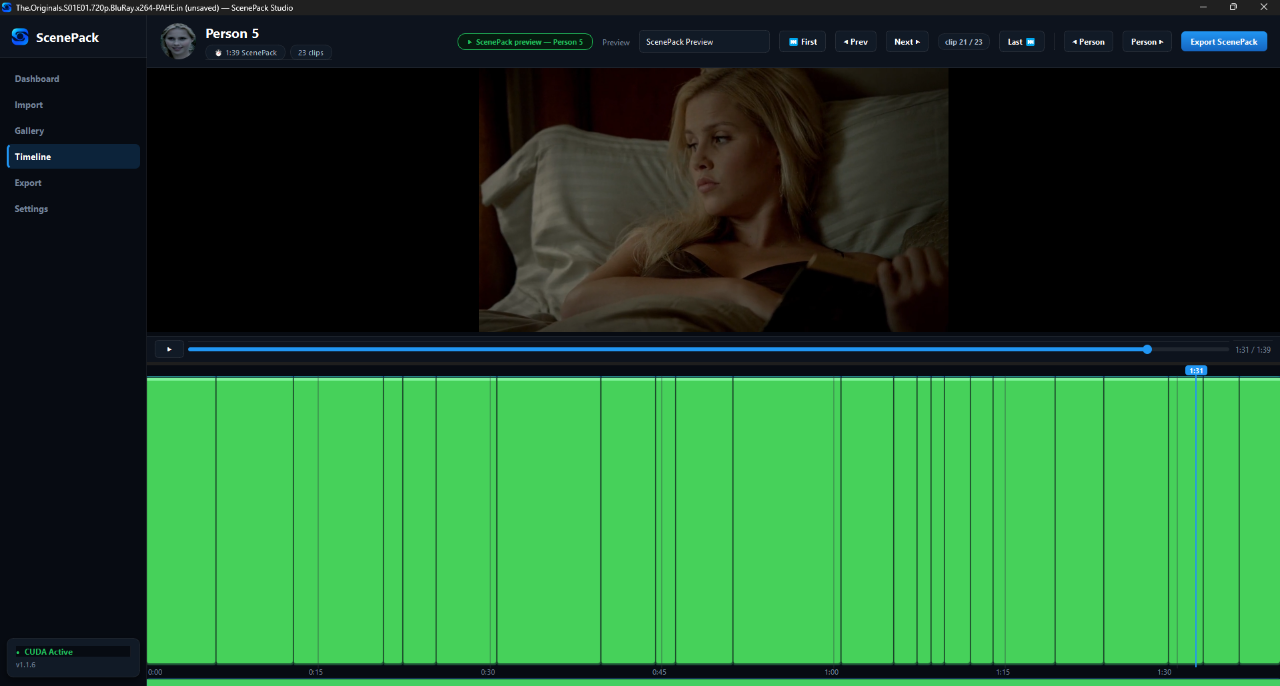
Review every clip in the timeline before exporting. Navigate through clips, preview your ScenePack, and make sure everything looks exactly how you want.
Export Your ScenePack
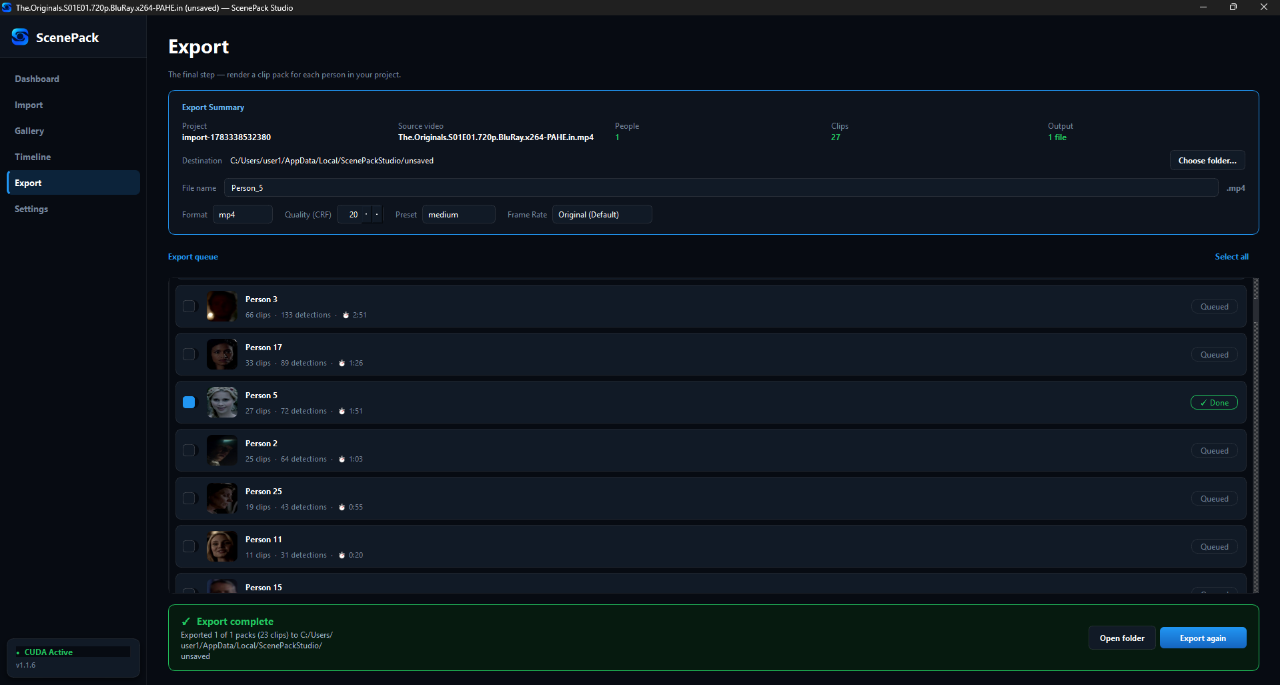
Export high-quality ScenePacks in minutes using customizable export settings. Your finished clips are ready to use immediately.
Everything you need to ship scene packs
Real functionality, built specifically for scene pack creators — not a generic editor.
AI Face Detection
Automatically identifies every visible face across an entire video, frame by frame.
Character Grouping
Clusters thousands of detections into individual people — no manual sorting.
On-Device Analysis
Face detection and scene analysis run on your own machine using your GPU.
GPU Acceleration
Take advantage of NVIDIA GPUs for dramatically faster scanning.
Built for real creator workflows
Stop scrubbing through timelines manually. Let AI do the heavy lifting of finding and organizing your clips.
Character Finding
Instantly find every scene featuring a specific character across a 45-minute episode or a full feature film.
Batch Processing
Drop in an entire season of a show. ScenePack Studio processes multiple files to gather appearances across episodes.
Organization
Automatically organize thousands of detected clips into individual character folders, ready for your editor.
What you actually get
A real export screen from ScenePack Studio — every character grouped, ready to render as a complete scene pack.
Built with trust in mind
ScenePack Studio is new — but the foundations are not. Here's what's in place from day one.
Real humans on Discord — most questions answered within minutes, not days.
Frequent releases shipped through the launcher. New detection improvements land regularly.
ScenePack Studio is the only fully automated scenepack creation tool ever released — built from scratch by editors, for editors.
Simple pricing. Every plan, every feature.
Try it for a week, subscribe monthly, or pay once and own it for life. No upsells, no feature gates.
- Full access to all features
- AI face detection & grouping
- Unlimited scans & exports
- Try before committing long-term
- Everything in Weekly
- Best for ongoing projects
- Save 28% vs. weekly
- Unlimited scans & exports
- Pay once — yours forever
- Early access to beta builds
- Pays for itself in ~8 weeks
- Priority Discord support
Everything you need to know
Clear answers about ScenePack Studio, licensing, performance and privacy.
ScenePack Studio is an AI-powered desktop application built for scene pack creators. It analyzes video files to automatically detect characters, recognize faces, and group appearances into organized clips for easy export.
Yes. All video analysis and face recognition happen 100% locally on your own computer. Your footage is never uploaded to any server, ensuring total privacy.
ScenePack Studio requires a 64-bit version of Windows 10 or 11. While it works on modern CPUs, an NVIDIA GPU is recommended for significantly faster AI analysis.
Yes, it supports optional NVIDIA GPU acceleration. The app can download a dedicated GPU package to unlock high-speed analysis, but it will automatically fall back to CPU processing if no compatible GPU is found.
You can import almost any common video format, including MP4, MKV, MOV, AVI, and WebM. It also supports professional codecs like HEVC and ProRes.
We offer both subscription and one-time payment (Lifetime) licenses. Licenses are linked to your account and provide instant access to the software and future updates.
We aim to respond to all inquiries as soon as possible. You can get direct help through our Discord community or by visiting our Help & Support page.
Our team and community are active on Discord — we usually reply within minutes.
Stop sorting clips.
Start shipping packs.
From $9.99/week, or own it for life for $74.99. Instant activation via Stripe.